Happy Valentine's, everyone!
This is our first release note of the new year, and we’re happy to announce the release of Datasets for UIlicious Studio!
Datasets let you configure different sets of test data to run a test with.
It’s useful when you want to:
Setup tests for different environments e.g. staging, production
Test the same user journey but for different roles
Store sensitive test data like passwords that cannot be written in plain text in the test scripts, and also mask them in test reports.
(Note: Datasets are only available on the professional edition of UIlicious Studio. You can run public tests for free on UIlicious Snippets.)
Setting up and using Datasets
Datasets work by populating in the DATA object in your tests.
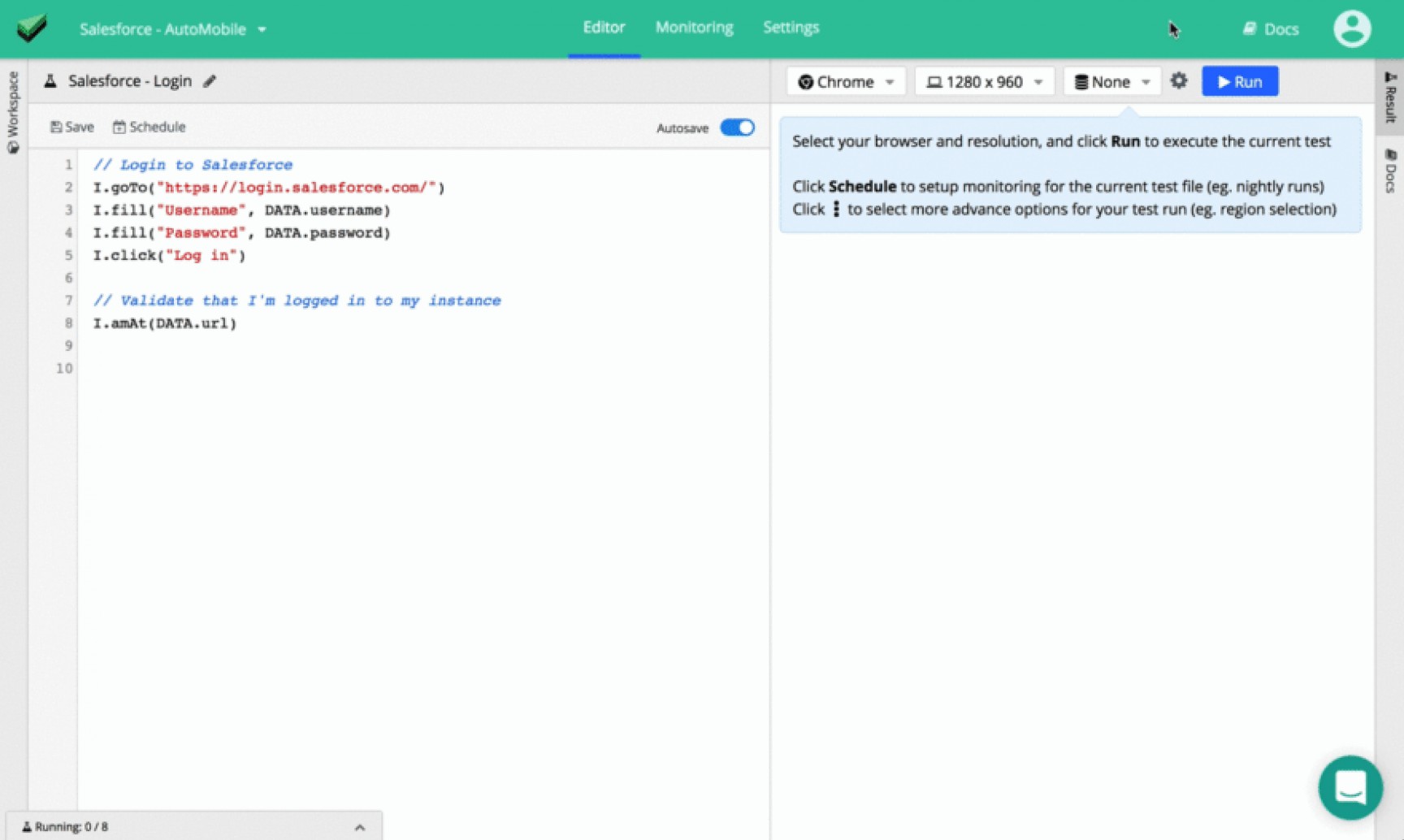
Let’s use this test for logging into Salesforce for example:
// Login to Salesforce
I.goTo("https://login.saleforce.com/")
I.fill("Username", DATA.username)
I.fill("Password", DATA.password)
I.click("Log in")

// Verify that user is logged into the correct instance of Salesforce
I.amAt(DATA.url)
We’ll set the username and password to log with, and url for the instance that the user is expected to be directed to for each test run using a dataset.
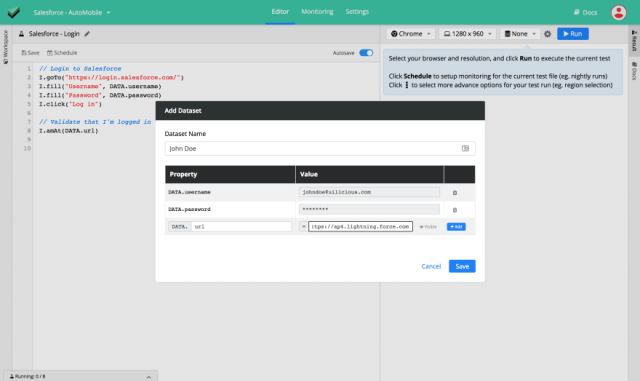
Let’s add a dataset (right beside the “Run” button):
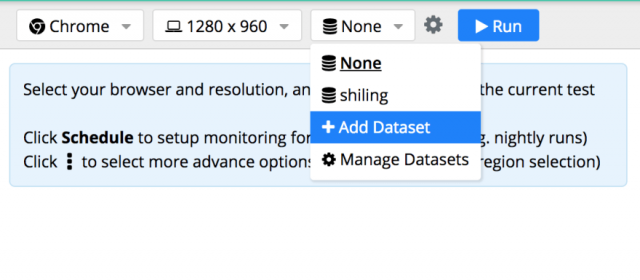
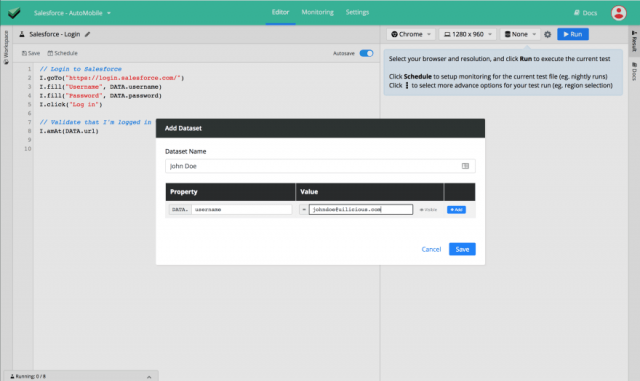
Give your dataset the name “John Doe”, and add the username property and value as below:
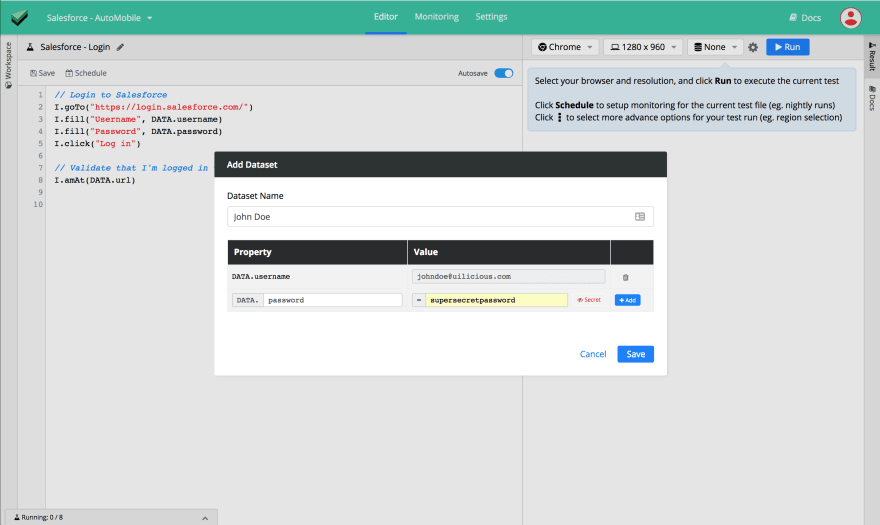
Add the password property and its value as below, but remember to checkmark it as a secret if you want to mask its value in the test reports.
Finally, we’ll add the url property and its value.
Now, let’s run the test with the “John Doe” dataset, and voila!
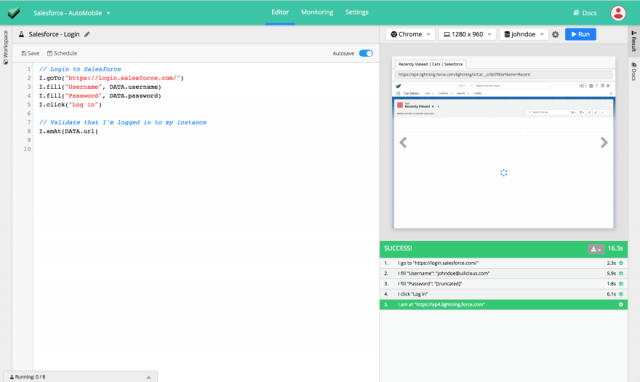
1. I go to "https://login.salesforce.com/" ------ 2.3s SUCCESS
2. I fill "Username": "[email protected]" --- 5.9s SUCCESS
3. I fill "Password": "[truncated]" ------------- 1.8s SUCCESS
4. I click "Log in" ----------------------------- 6.1s SUCCESS
5. I am at "https://ap4.lightning.force.com/" --- SUCCESS
The value of password has been masked in the result because it is set as a secret property in this dataset.
What else is new and improved?
For the past months, we’ve also been focusing on making performance improvements and developing new features for the test engine so that you can create more elaborate and readable tests.
🚀 Test engine
Drag and drop commands:
I.dragTo- Drag an element to another target element.I.dragBy- Drag an element in a direction using (x,y) pixel offset.I.dragUp,I.dragDown,I.dragLeft,I.dragRight- Shortcuts for I.dragByI.getValue- Reads and returns the value of an input field. This allows you to extract the value of an input field and set it to a variable.New scroll commands for convenience —
I.scrollUp,I.scrollDown,I.scrollLeft,I.scrollRight.Error suppression — For all I and UI commands, you can suppress the error with the
$variant of the command - e.g.I.see$("Flying pigs"). This may be useful when you want to suppress the errors for commands used as conditional expressions in if/else blocks.Error and log suppression — For all I and UI commands, you can suppress the error and logs with the
$$a variant of the command - e.g.UI.execute$$(...).UI.contextcan now be used to explicitly switch the context to an iframe. This is useful in cases where security policies on the web application or on specific browsers prevent UIlicious from normally being able to access and evaluate the contents of iframes and test them.
See the list of commands.
📈 Reports
Better logs to indicate errors in the test script itself.
Improved the performance of retrieving the status of the jobs on the monitoring dashboard.
UI.executenow prints out a snippet of the script to execute to make the test reports and flow easier to understand. And you may also override the log message for UI.execute.Added duration to test run reports sent through webhooks
Thank you!
A great big thank you to users who have kindly lent themselves to beta test this new feature and try to break it and give us comments on improving the user experience!
Feedback?
We always love hearing feedback from users, and finding out the sorts of creative things people are doing with UIlicious, so feel free to drop us a note at [email protected]!